Real estate videos,
simplified.
Turn a phone full of room clips into a polished, branded listing video — without touching a desktop editor. Shoot, tag, caption, and export, all in one app.
From first shot to finished export
One minute, start to finish — the real app, on a real phone.
A complete production studio, in your pocket
From first shot to finished export, Zovack Shoot handles the parts of video production that used to mean a laptop and an editor.
Clips sort themselves
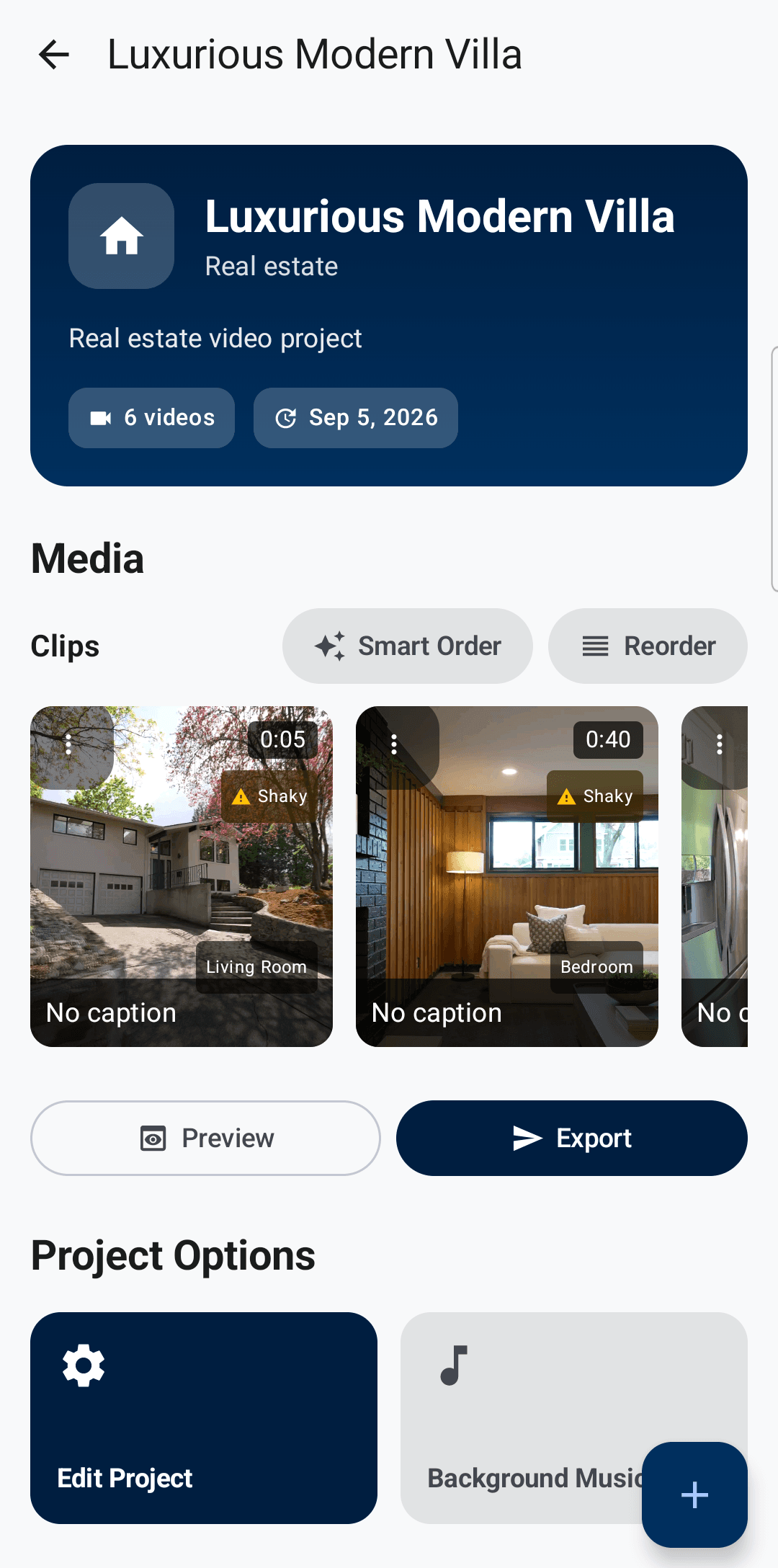
Every clip gets tagged by room — kitchen, bedroom, living room — and Smart Order sequences them into a natural walkthrough automatically.
Captions without typing
Record a walkthrough narration and get accurate, timed captions in seconds. Works fully offline, no upload required.
Branded intro & outro
An animated property-details intro in your choice of layout, font, and color scheme, plus a presenter outro with your contact details.
Fast, native processing
Rendering happens right on your phone — no cloud render queue and no waiting around between takes and a finished export.
Automatic quality checks
Dark, blurry, or shaky footage gets flagged before it ends up in your final cut, so every listing looks its best.
Built for real estate
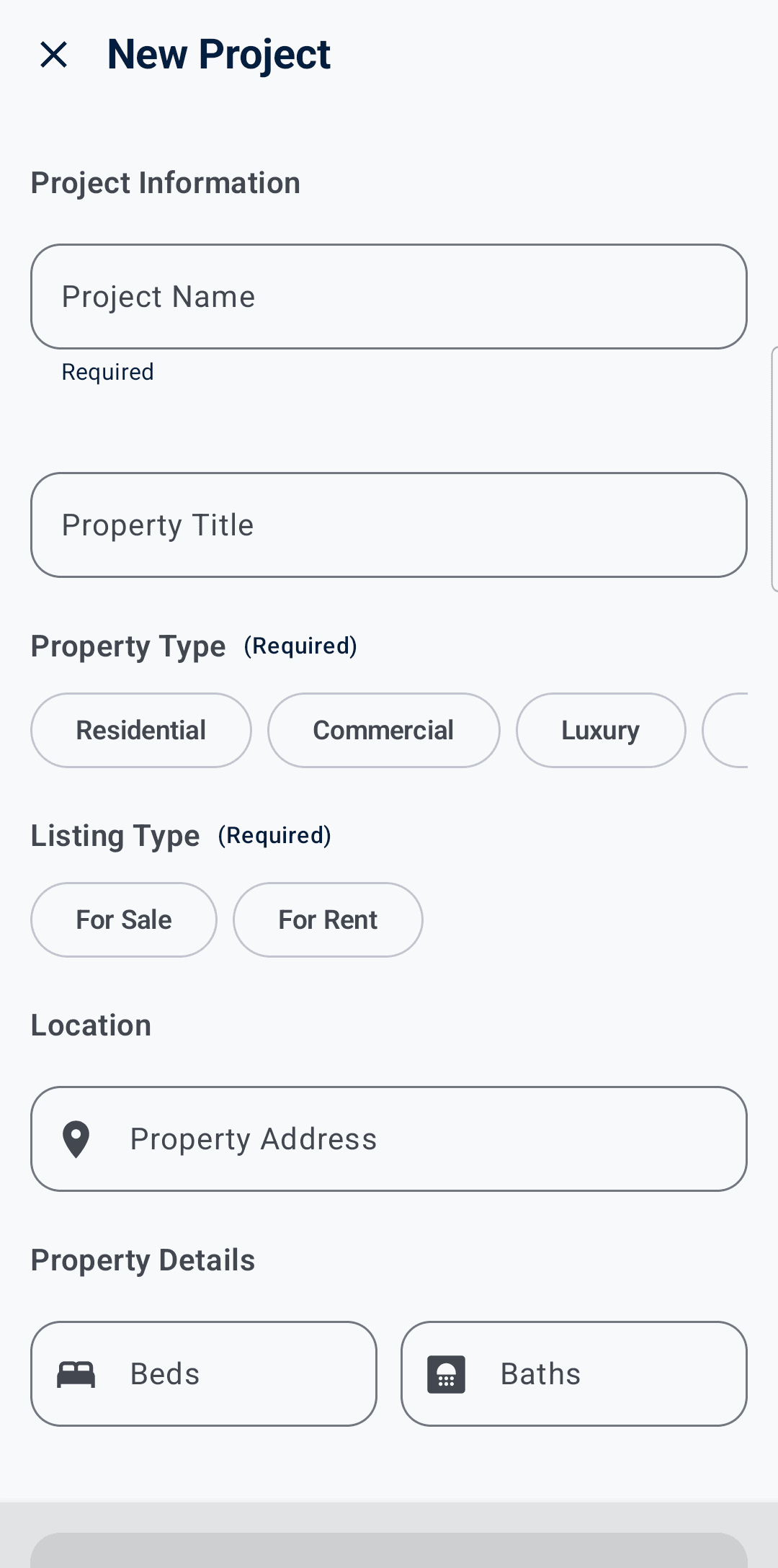
Property type, listing type, price, beds, baths, address — fields made for agents, with every listing organized in one place.
Four steps, start to export
Shoot every room
Use guided in-app capture for each room, or import existing clips and photos straight from your gallery — nothing to transfer or convert first.
Watch it sort itself
Each clip gets tagged by room and Smart Order sequences your walkthrough — exterior, living areas, bedrooms, backyard — automatically.
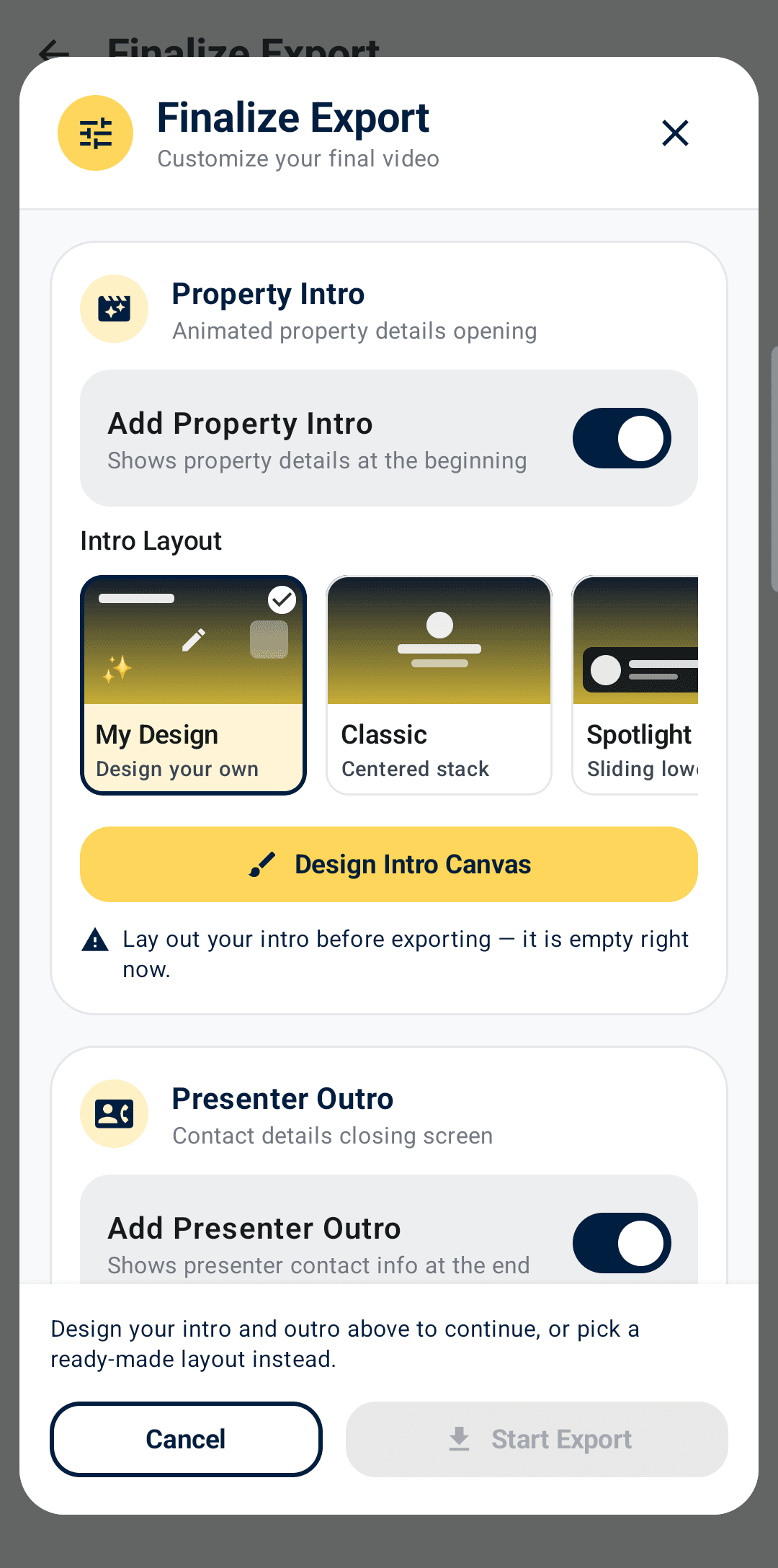
Trim, caption, and brand it
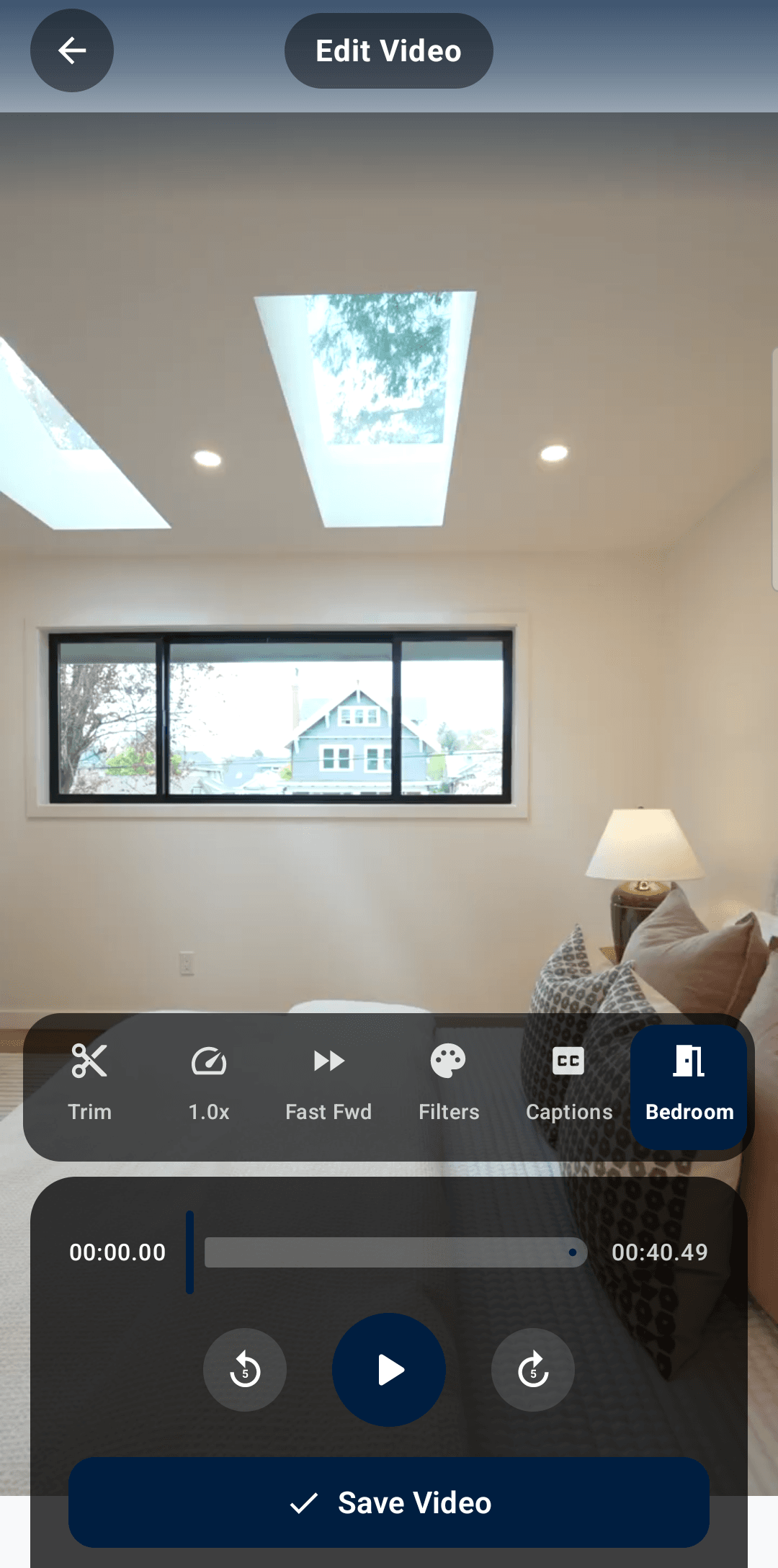
Adjust speed, add offline speech-to-text captions, and drop in an animated property intro with your contact details as the outro.
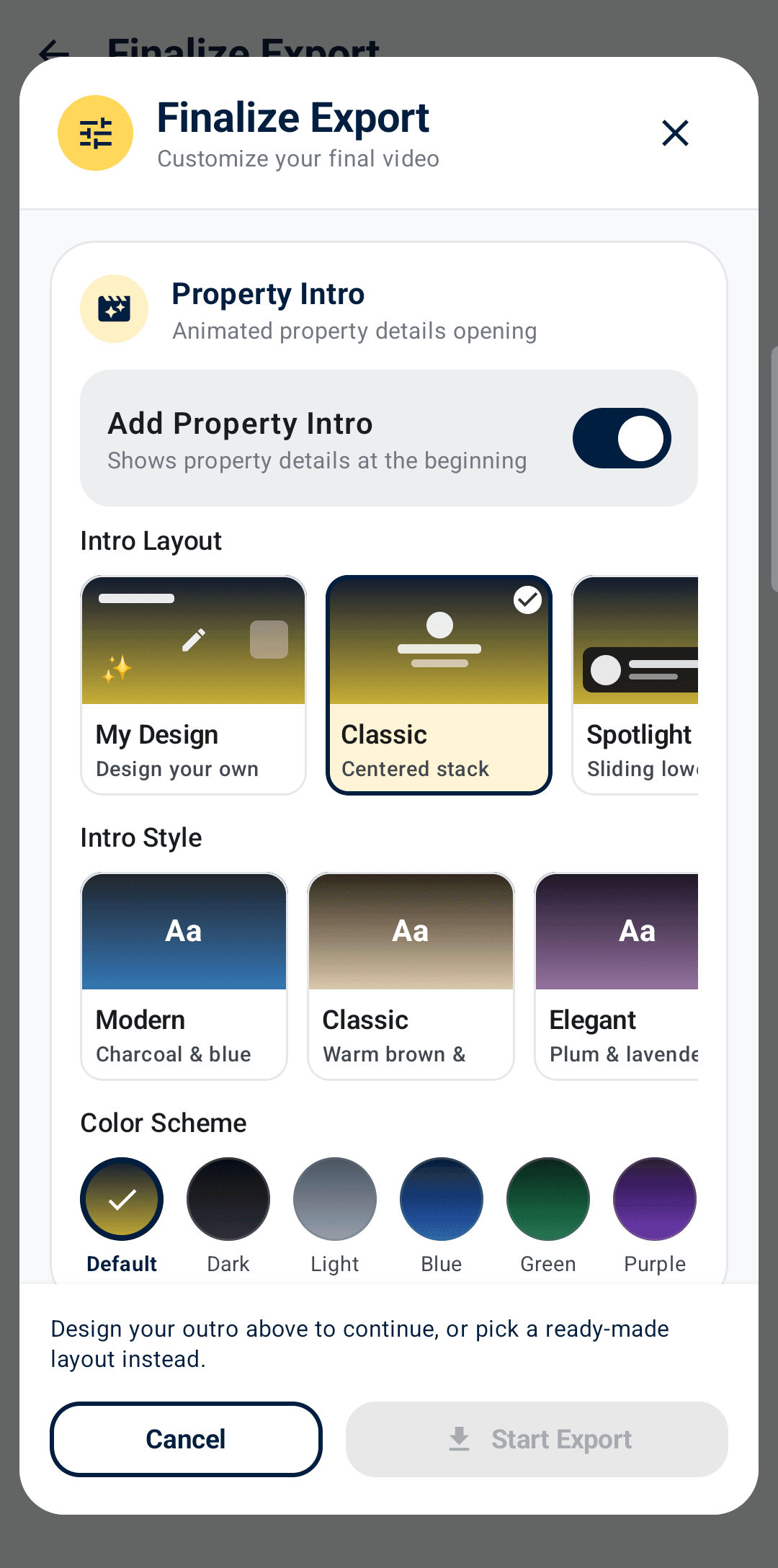
Export and send
On-device rendering delivers your finished video in multiple resolutions — ready to send to a client or post online, no cloud queue.
Inside the app
Every screen below is the real app, on a real phone.
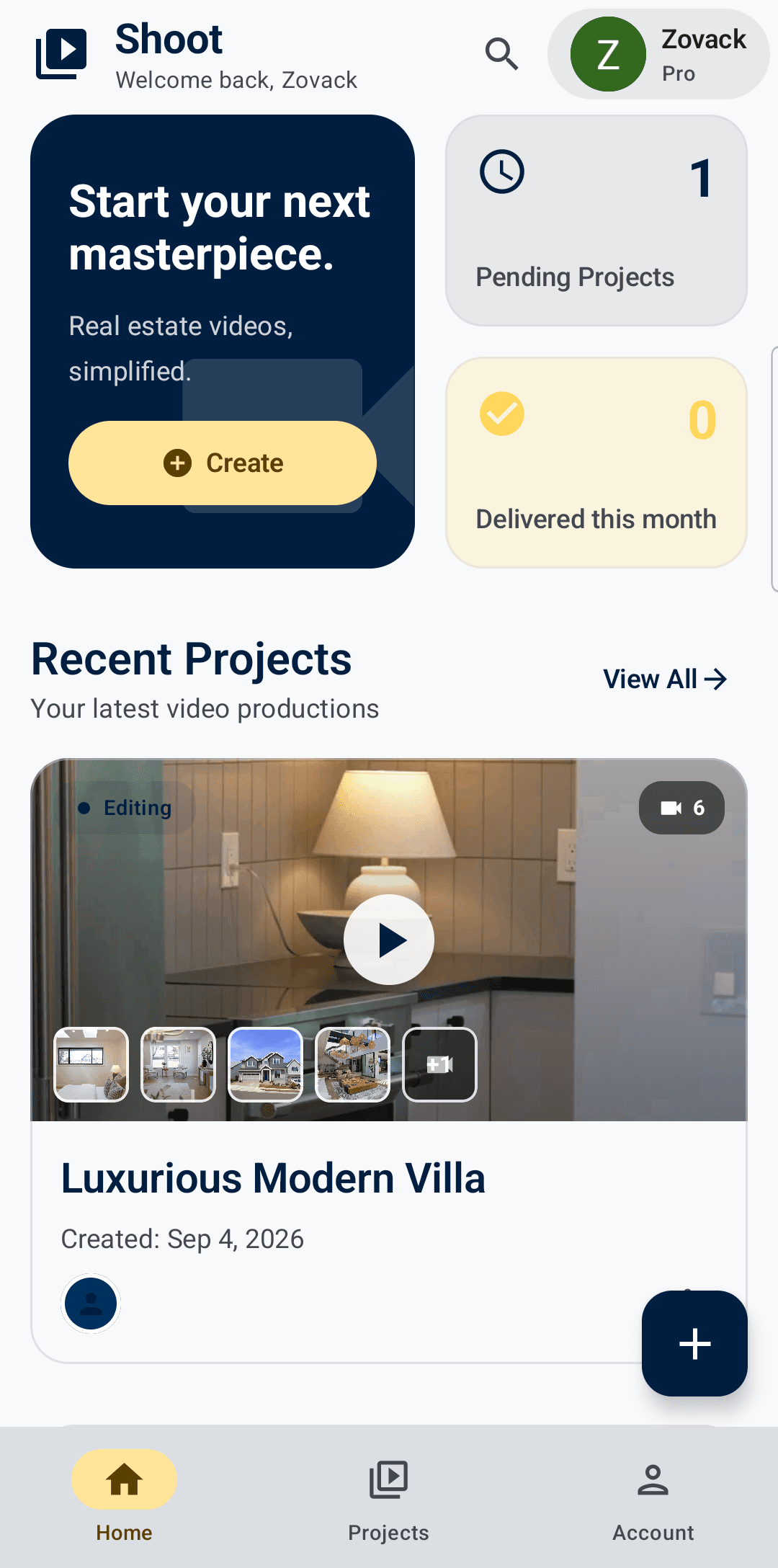
Every listing, one dashboard
Clips tagged and organized
Trim, speed, and caption
A branded intro in taps
Fonts and colors that match you
Real-estate-specific fields
Your next listing video starts with your next shoot.
Zovack Shoot is available now on the App Store and Google Play. Shoot, edit, and export your listing walkthroughs entirely on your phone.